How to Transcribe Your Footage Locally on Your Mac
Transcription makes footage easier to search and edit, but it also asks you to trust a tool with everything said in the recording. For client interviews, unreleased work, and sensitive conversations, where that processing happens matters.
Sequence transcribes on-device. The app reads the media directly from your Mac, external drive, or network storage and does not upload it to a cloud transcription service.
Download the Model Once
Sequence uses a Core ML conversion of NVIDIA’s Parakeet v3 speech-recognition model.
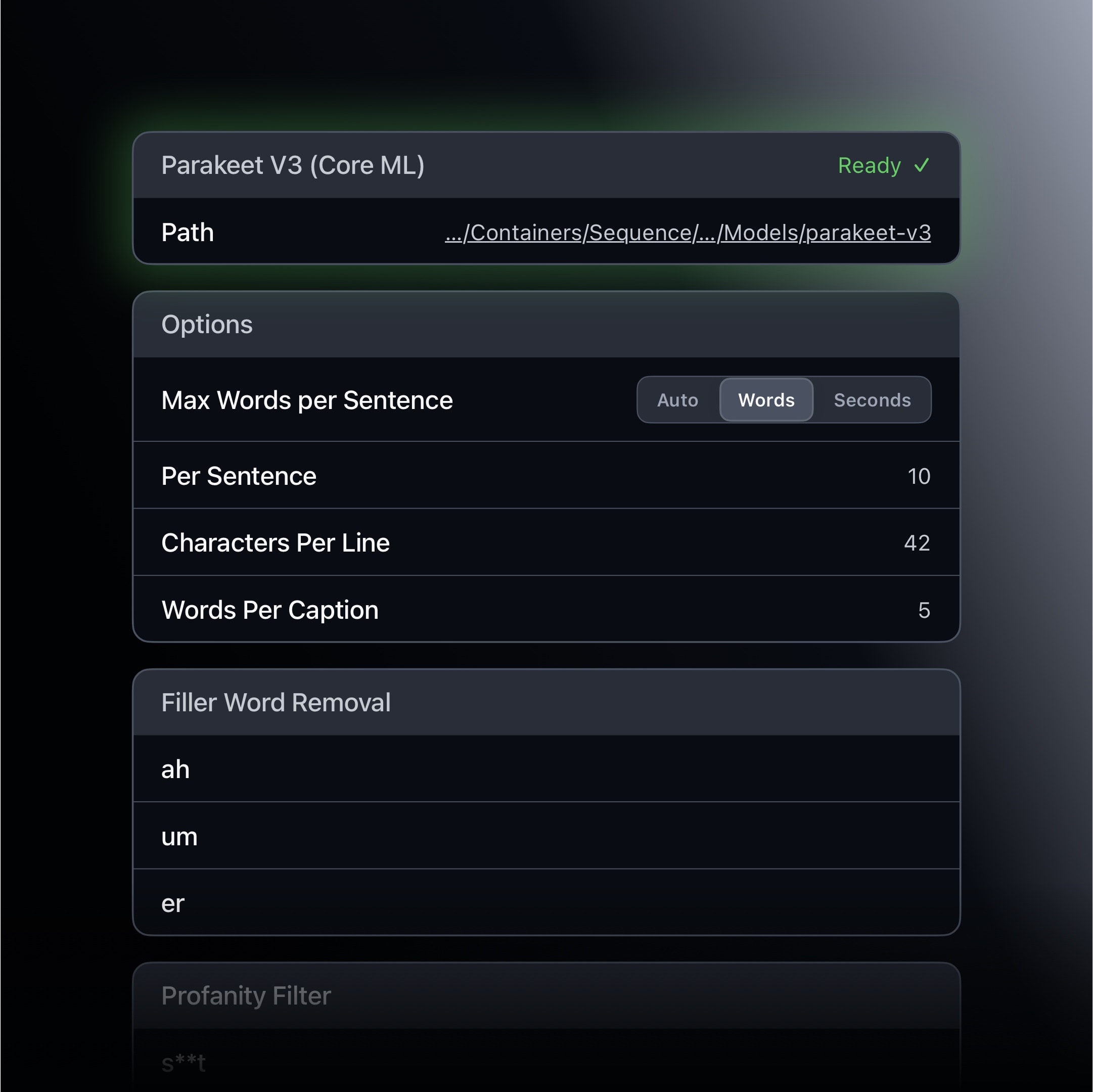
After the first media import, Sequence prompts you to download the model. The file is roughly 1 GB. Once installed, it can transcribe without an internet connection.
The first run can take longer while Sequence prepares the model for the system. Later runs benefit from that setup. The app loads the model when it is needed, then releases its memory after transcription and the cooldown period finish.
For the engineering decisions behind the conversion, read Why We Chose Core ML over MLX.
Turn Speech into a Working Index
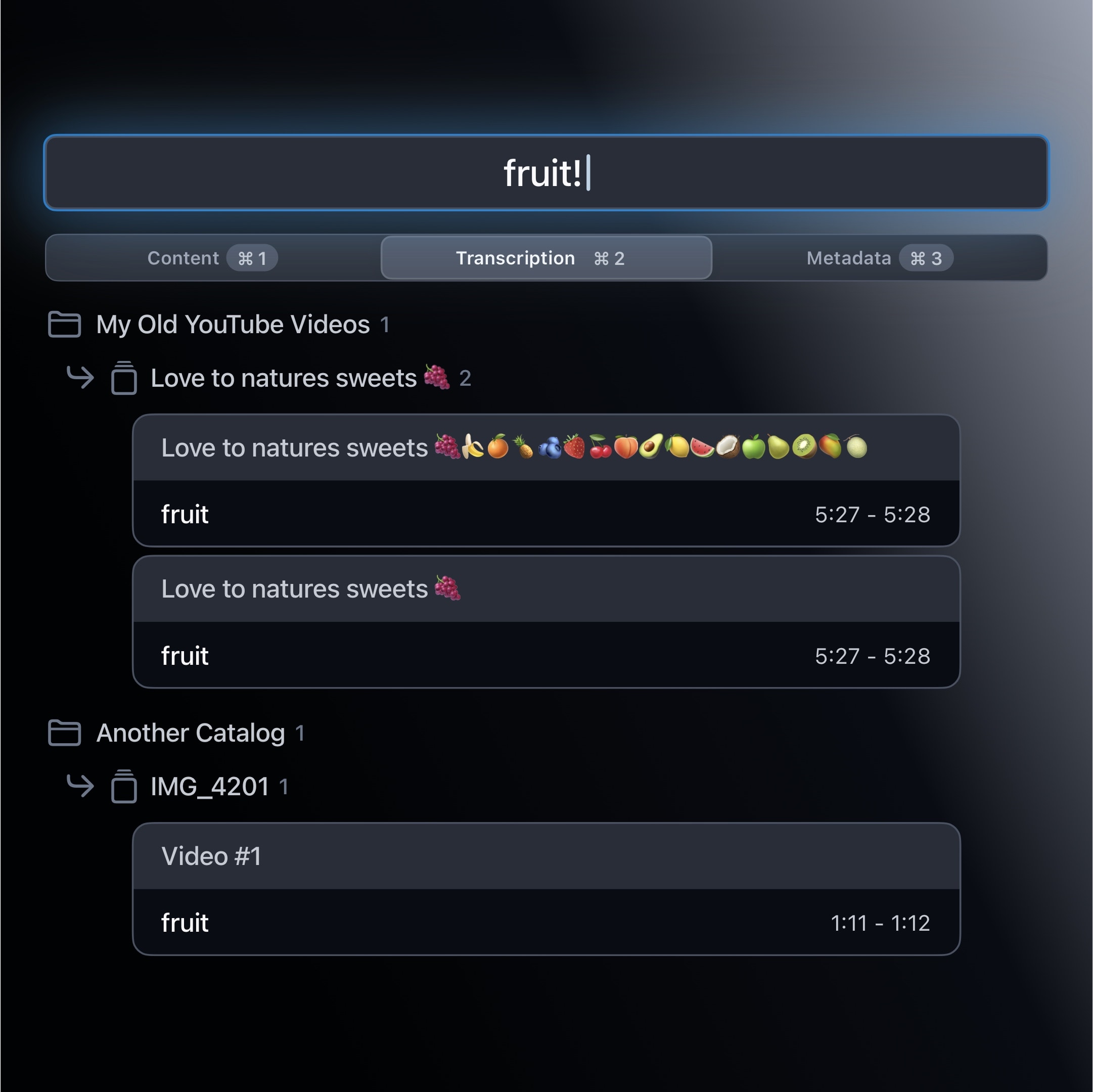
Once a project is transcribed, use Find within Transcript to locate a word or phrase in the current recording. Global Search extends that across your Sequence library, which is useful when an older interview contains the exact quote or topic you need.
The transcript is also an editing surface. Disable words and sections, reorder sentences, add markers, and review filler-word, silence, or profanity suggestions without losing sight of the surrounding context.
Export or Continue Editing
When the rough cut is ready, export finished media directly or continue in Final Cut Pro or DaVinci Resolve. Sequence can also create caption, subtitle, and transcript sidecars.
Local transcription is not only a privacy choice. It turns spoken footage into a useful index while keeping the rough-cut workflow close to the media itself.

James Seddon, Founder