Settings and Troubleshooting
When Sequence Is Upgrading Your Library
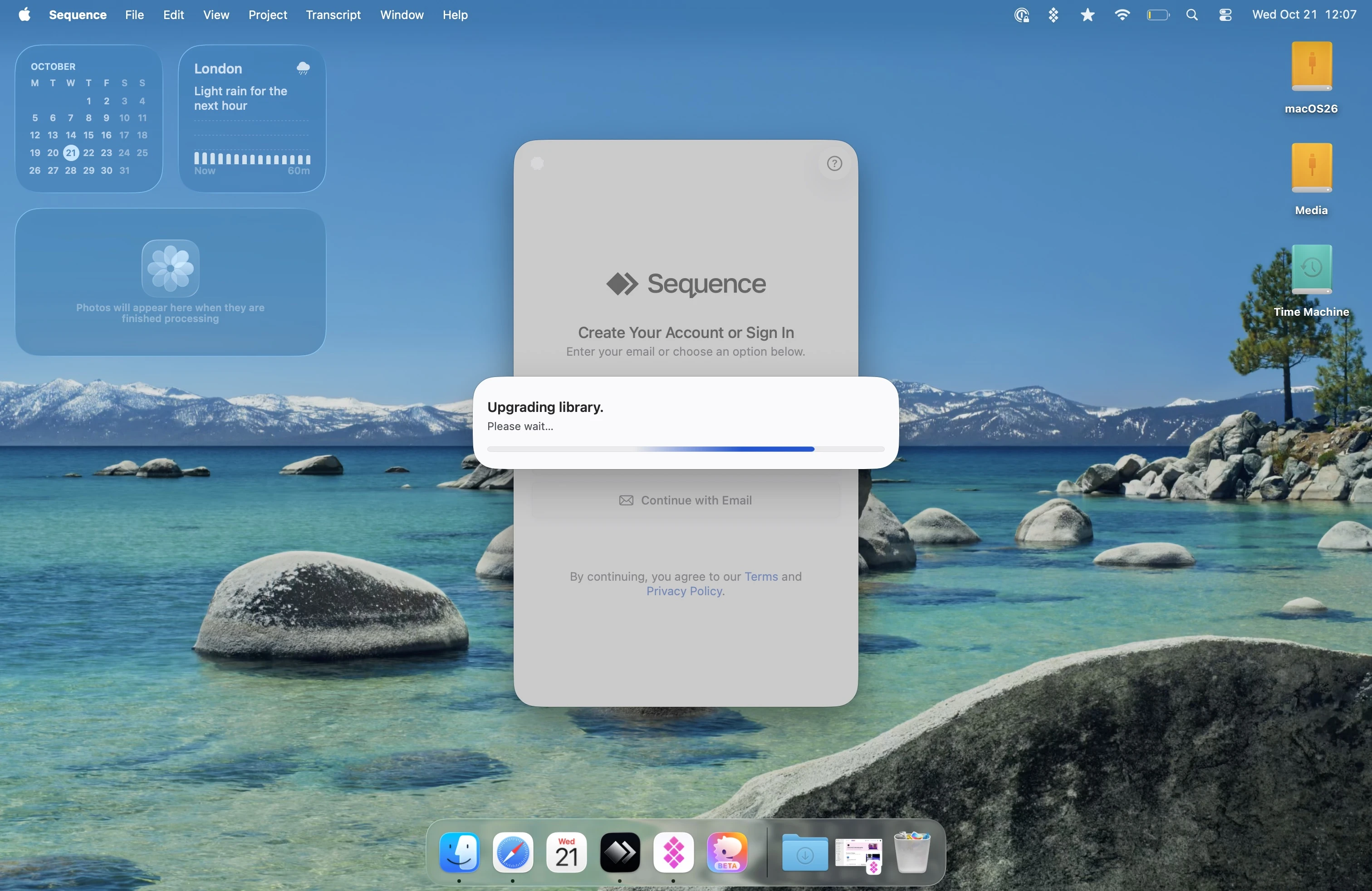
Why you may see this screen
An update may need to convert library records before Sequence can open your projects. The Upgrading library screen covers that work. Some updates also copy an older library into the shared library storage used by current Sequence distributions.
What to do while it upgrades
Let the upgrade finish before working in the library. Avoid force-quitting Sequence, shutting down your Mac, or moving library files while the upgrade is active. Quit any other copy of Sequence if asked: only one app can use the shared library at a time.
Keep your normal library and source-media backups. An upgrade is not a substitute for a backup.
Moving to shared library storage
When migrating an older installation, Sequence copies the selected library and its managed resources to the new location, checks the copy, and leaves the original library in place. External source media is not moved. The copied library becomes the one used for new work.
If several older libraries are found, choose which one to upgrade. Sequence does not merge them. If macOS asks for access to the existing library folder, select the folder shown in the prompt.
If you see Keychain access required, allow Sequence access to the existing library's encryption key and choose Try Again. Do not delete or replace the Keychain entry. An unavailable key does not mean the library is empty.
If you see Library upgrade paused, read the displayed details, quit other Sequence copies if necessary, restore any requested folder or Keychain access, and choose Try Again. Keep the original and staged library files untouched. Contact support if the key is missing, does not match, or the upgrade cannot resume.
After upgrading, use Settings → General → File Locations to reveal the active database location rather than assuming the app is still using the old folder.
How long will it take?
The time varies with the size of your library and the amount of information that needs to be updated. Small libraries may finish quickly, while larger libraries can take longer.
The bar in this dialogue is an indeterminate progress indicator. It shows that the upgrade is active, but it is not a percentage complete or an estimate of how much time remains. It may continue moving without indicating exactly how far along the upgrade is.
If the screen remains unchanged for an unusually long time or appears every time you open Sequence, contact support with the app version, the exact message, and whether the library was copied from another installation.
Can I go back to an older app?
An older app may not understand the upgraded library. Do not point an older build at it or overwrite it with older database files. Reinstalling an older app does not reverse the upgrade.
The original library left by a storage migration is a separate, pre-upgrade snapshot. It does not receive edits made in the new shared library. If support asks you to test an older release, preserve the current library and use a separate compatible pre-upgrade copy; do not try to merge the two manually.
For recovery options, see Sequence is not working. An iCloud restore replaces the database; it does not downgrade its format.