Getting Started
Verify the Sequence Share Extension
Send media to Sequence from Finder or another app with the macOS Share extension.
Send media to Sequence from the Share menu
The Sequence Share Extension lets you send media into Sequence through the macOS Share menu. Use it from Finder, or from another app that makes media available through that menu, instead of first locating the file inside Sequence.
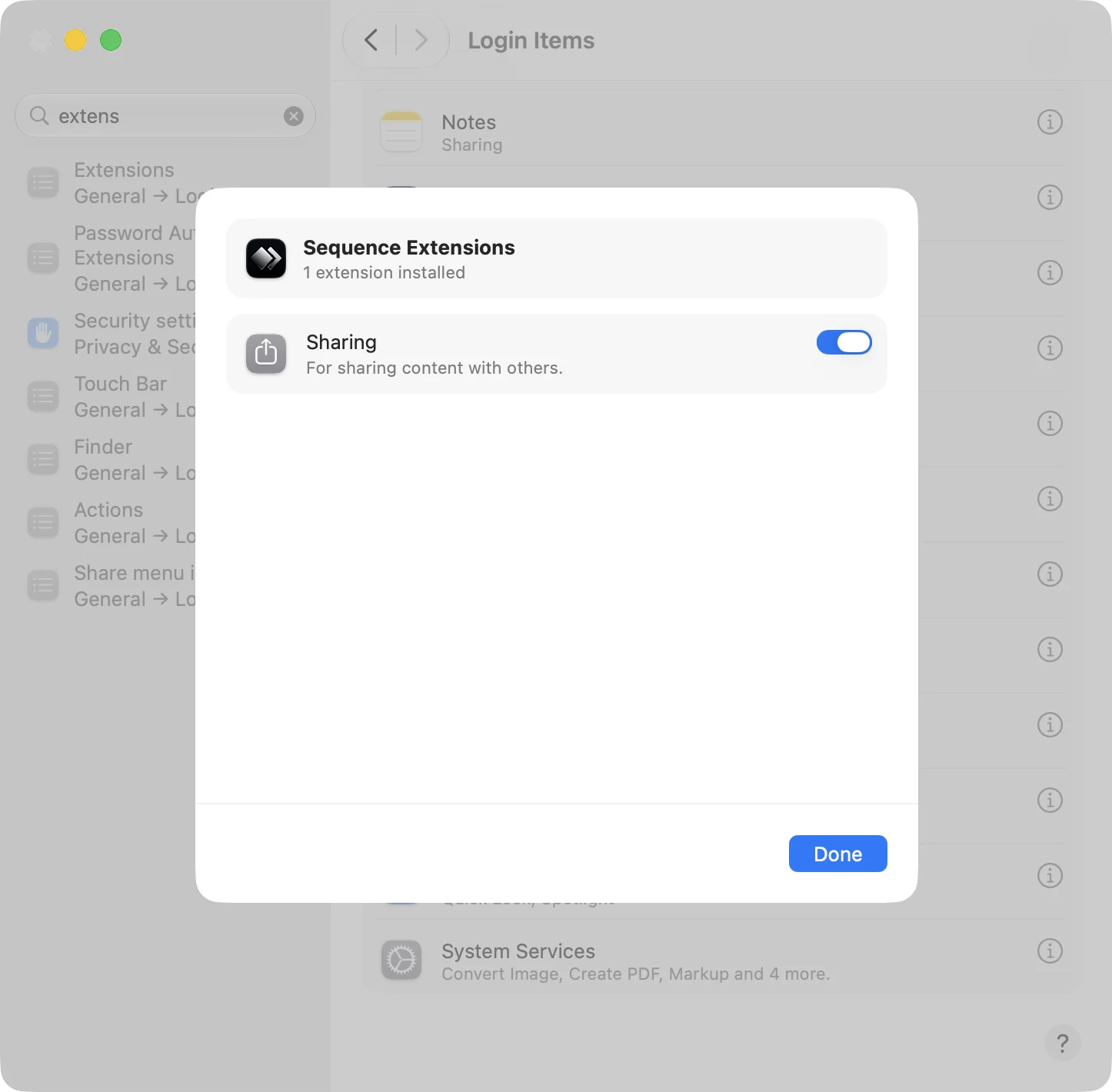
Enable the Sharing extension
- Open System Settings → General → Login Items & Extensions.
- Find the extensions controls and open Sequence Extensions.
- Turn on Sharing.
- Select Done.
Use the extension
- In Finder, select the media you want to bring into Sequence. In another app, open the item you want to share.
- Open that app’s macOS Share menu.
- Choose Sequence to send the item for import.
The extension passes local video or audio files to the containing Sequence app and opens it for import. It does not import a web page or streaming URL. Several shared files can be sent together; Sequence removes duplicate file selections.
If Sequence is not offered in a particular app’s Share menu, use Finder for the same media instead. If the extension reports No importable media files were shared, make sure the app is sharing a local file, or save the media and import it directly.